
How to Fix a Dell Monitor When it Keeps Entering Power Save Mode
Getting “Auto Detect Entering Power Save” or "Entering Power Save Mode" on your Dell monitor? Don't worry!
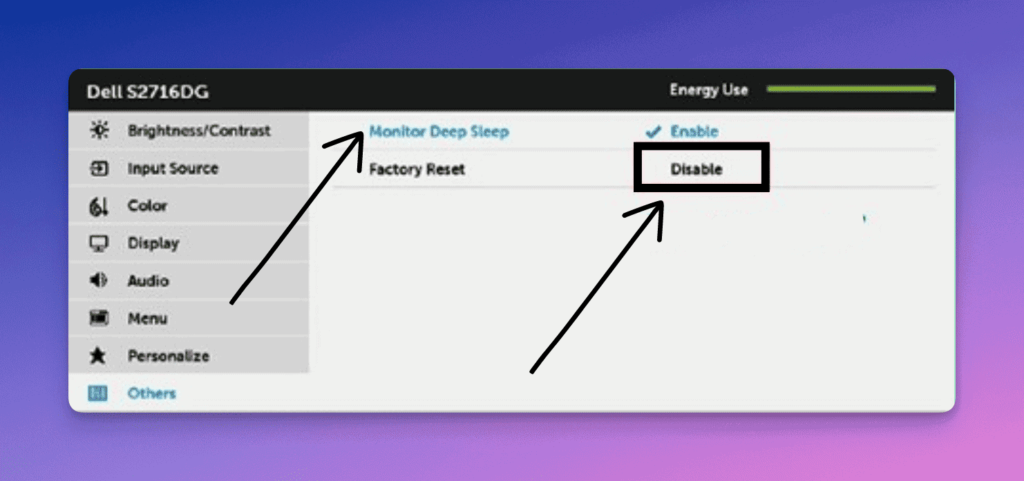
You can fix this issue by disabling the Monitor Deep Sleep feature. Here’s how to do that:
- Open your Dell monitor OSD (On-Screen Display) Menu.
- Go to Others.
- Select Monitor Deep Sleep and then select Disable.
If you have any questions, feel free to ask me!
Muhammad Hussain
Electrical Engineer, Solopreneur, and Web Developer who loves troubleshooting gadgets and making cool things for the internet. Been the go-to person for tech problems for 20+ years.